CrewBrain bends to the way you work.
Every service company runs a little differently. In CrewBrain you set your own services and prices, the checklists your crew follows, who sees what, and your brand. Our team sets it up with you, and you can keep changing it as you grow.
Build each service the way you price it.
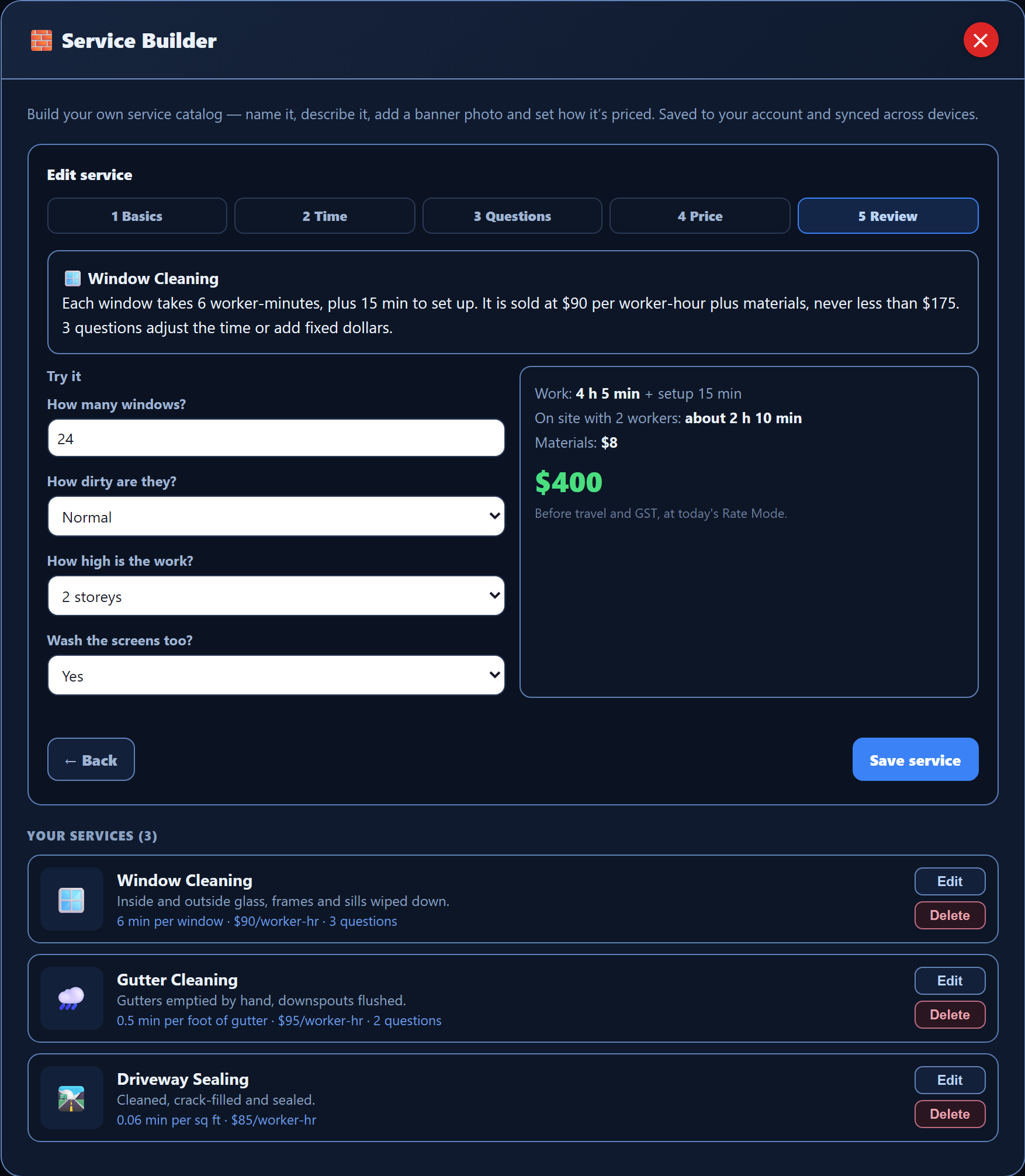
The Service Builder walks you through five steps: the basics, how long the work takes, the questions that change the time, the price, and a review. Every price starts with time, so your numbers follow the real work.
- Measure the work your way: by the job, or per window, per foot of gutter or per square foot.
- Add the questions that change the time, like how dirty it is or how high the work is.
- Set your price per worker-hour, materials, a minimum charge and how much travel to add.
- Answer the Try it questions to see the time and the price before you save.
- Each quote keeps its own copy of the service, so a later change never rewrites a quote you already sent.
Your company, your rules.
All of these are part of CrewBrain today. We go through them with you during setup.
Starter services for your trade
Your setup can start from a ready-made list of common services for your trade. We have lists for 26 trades. Then we set the times and prices to match your real numbers.
Checklists your crew follows
Set the morning truck check and the before-and-after checklists for each service. The crew app shows your lists, so every crew does the job your way.
Who sees what
Choose what each person on your team can see and do. Crew members see their own jobs in the crew app. Owner-only switches decide who can invite staff, read applicant chats or review quotes.
Settings for each person
Everyone has their own My Settings: which alerts reach them and when things go quiet, screen colour and text size, how voice typing works and which tab opens first. Their changes only affect them.
Your name and logo
Put your company name, logo, brand colour, contact details and photos in one Branding screen. The app then shows your logo, not ours.
Switch parts on or off
Turn whole parts of the app on or off for everyone. Choose the automatic follow-up messages your customers get, and who on your team gets which alerts, and how.
Something missing? Tell us.
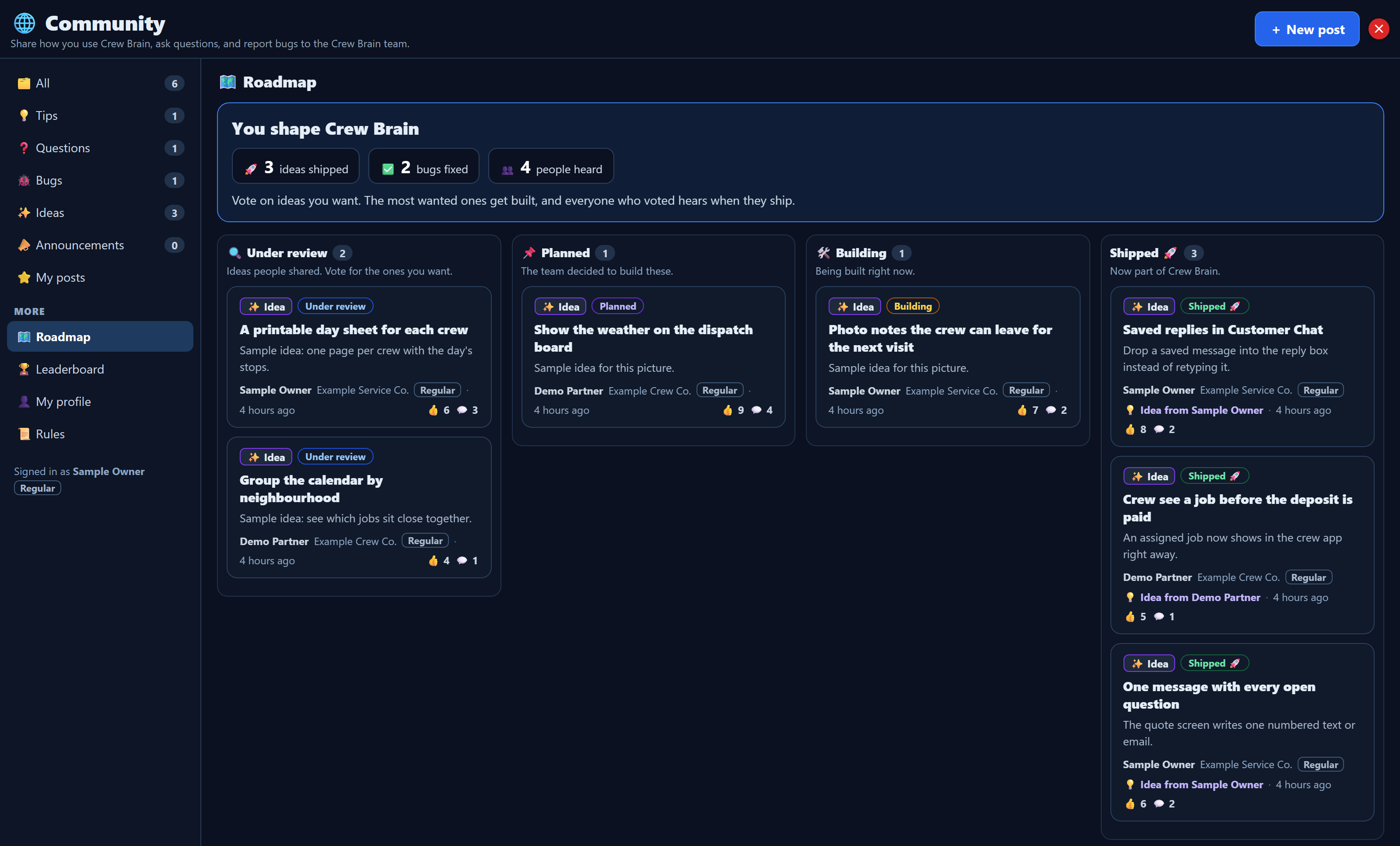
Founding members post ideas in the Community inside CrewBrain. Other members vote for the ones they want too. Our team reviews each idea, plans the ones that help, builds them, and tells everyone when they ship.
Not every idea will be built. Extra custom work for one company is talked through and agreed with you before it starts.
We set it up with you.
A named person on our team works through your services, prices, checklists and team with you, then checks it all with you before you switch.
- You apply
- A fit call
- Your setup plan
- Your data, moved and checked
- Training for office and crew
- Your first real job
- Weekly guidance
Want CrewBrain set up your way?
Apply to become a founding member. If we're a fit, we build it around how your company already works.