Pest control companies

Pest control software that shows profit per route and per stop

CrewBrain is pest control software for owners who run techs on recurring routes. It puts each plan visit on your calendar, sends the day's stops to your techs' phones and turns each visit into an invoice. Techs clock in and out by job, so you can compare what each stop cost with what it billed. Your customers, quotes, invoices and timesheets all sit in the same place.

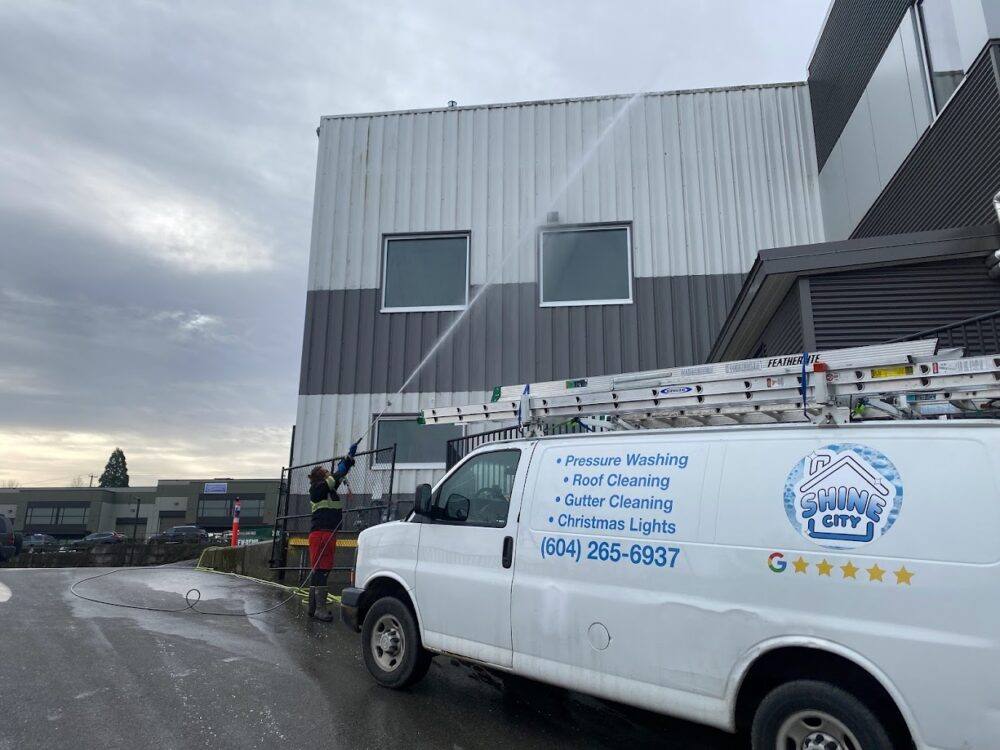
A Shine City crew van with equipment
Real crews, real rigs. We run Shine City and Simple Moves with CrewBrain every day. Founding members learn from crews like these.
Recurring-service reality

Plans, routes and records spread across too many places.

Plan visits get rebooked by hand. Techs cross the city and burn fuel. Notes and photos sit on paper or in someone's phone. A missed reminder can cost you a yearly customer. When your plans, schedule and records sit in different places, plan revenue slips away.

✕Manual rebooking. Every recurring visit gets re-scheduled by hand, so some accounts just slip through.
✕Wasteful routes. Techs cross town between stops because nobody plans the day by area.
✕Paper records. Notes and photos from each stop get lost, so nobody can check what was done last time.
✕Missed reminders. The next visit never gets booked, and a yearly customer quietly leaves.
How CrewBrain helps

Plan visits, tech days and billing in one place.

From the first quote to the last invoice, every account lives in one record.

Plan visits on the calendar

Drag monthly, every-two-months or quarterly visits onto the week and assign the right tech. Every visit stays on the calendar, so no plan customer is forgotten.

The day on every tech's phone

Each tech sees today's stops, addresses with one-tap directions, checklists and photos. You see their progress as they clock in at each stop, so there are fewer "where are you?" texts.

Hours tracked by job

Techs clock in and out from the app, and hours are tracked by job. Those hours are ready for payroll, and they show you what each stop really cost.

Billing that keeps up

Turn a quote into an invoice in a tap, and add callbacks, nests or one-off jobs as extra lines. The invoice shows what's owed and what's been paid.

The history on every account

Each customer's plan, past visits, photos and notes sit on one record. The full history is a click away, so anyone in the office can answer a plan question.

Quotes that get followed up

Send a quote in minutes, and a daily follow-up list shows the people who went quiet. You win more of the plans you already quoted.

Software plus a real partner

More than software: we set it up with you.

You are not left to figure CrewBrain out alone. A dedicated account manager sets it up with you, moves your customers over and trains your techs on the crew app. You also get growth consulting from people who run service crews themselves. See all features or book a demo.

What pest control software has to do, and how to price a stop

A pest control company lives on recurring plans and tight routes. The money is made or lost one stop at a time, so the software has to handle the plan, the route and the cost of each visit. Here is a short checklist to bring to any demo.

The jobWhat the software should do
Run recurring plansPut every monthly, every-two-months or quarterly visit on the calendar, so no account is forgotten.
Build routesGroup stops by area, so a tech is not crossing town between two homes.
Brief the techShow the address, gate code, pet notes and past visits on the tech's phone, with photos and notes saved to the account.
Keep treatment recordsRecord what was applied, where and by whom. Rules differ by province and state, so ask your regulator what you must keep and check that the software can store it.
Bill the planBill each plan visit, and add callbacks, nests or one-off jobs as extra lines on the invoice.
Show profit per stopTrack tech hours by job, so you can compare what each stop and each route cost with what it billed.

How to price a pest control stop from its real costs

Start with tech time. Count the drive to the stop as well as the time on site, because both are paid time. Multiply those hours by the full cost of one person-hour. That is the wage plus payroll taxes, insurance and workers' comp (the insurance that covers injured workers). Our labor burden calculator shows what sits on top of pay. Then add product and materials, plus the vehicle and fuel. That total is your job costs.

To set the price, divide job costs by one minus your margin. Margin is the share of the price you keep after job costs. It is not the same as a markup added on top, as our guide to margin vs markup explains. What is left pays for the office, ads, software and your own pay.

Illustrative numbers only: a quarterly outside treatment on a house, 30 minutes on site, priced at a 40% margin. The only change between the two columns is how far apart the stops are.

ItemTight routeSpread-out route
Tech time0.5 h on site + 0.25 h drive = 0.75 h0.5 h on site + 0.5 h drive = 1 h
Labor at $42 full cost per hour$31.50$42.00
Product and materials$8.00$8.00
Vehicle and fuel$6.00$10.00
Job costs$45.50$60.00
Price at a 40% margin (job costs ÷ 0.60)$76$100

Now say you charge $76 everywhere. On the tight route you keep about $30 a stop. On the spread-out route you keep $16, which is a margin of about 21%, not 40%. Same house, same treatment, same price. The only thing that changed was the drive.

A few rules follow from this:

  • Price by area, not one number for the whole city. Stops far from your routes need a higher price or a trip charge.
  • Price the first visit on its own. The first treatment takes longer and uses more product than a plan visit, so do not price it like one.
  • Check real hours every month. If stops keep taking longer than you priced, the plan price is too low.

For the full method, read how to price a service job, then try your own numbers in the job price calculator. If you are weighing a flat plan price against billing by the hour, see flat rate vs hourly pricing.

A simple rule: a recurring plan is only as good as the route it sits on. Add new customers near the stops you already have, and let your software show you which routes really pay.
Your ready-made setup

Services we preload for Pest Control — already priced

Your account starts with these common Pest Control services and approximate prices already loaded, so you are not starting from a blank page. Your dedicated account manager fine-tunes them with you.

Inspection & Quote
Walkthrough to identify pests and entry points.
$0
free, waived with service
Initial Treatment
First full interior and exterior knockdown treatment.
$150–350
Quarterly Plan
Recurring every-3-month preventive treatment.
$120–180 / visit
Monthly Plan
Recurring monthly service for heavy or ongoing issues.
$45–75 / month
Ant / Spider / Roach Treatment
Targeted treatment for common crawling insects.
$120–250
Rodent Control & Exclusion
Trap, bait, and seal entry points for mice and rats.
$250–600
Wasp / Hornet Nest Removal
Remove and treat an active stinging-insect nest.
$125–300 / nest
Bed Bug Treatment
Multi-visit chemical or heat treatment for bed bugs.
$500–1,500
Termite Treatment
Inspection and barrier or bait treatment for termites.
$600–2,500
Mosquito Yard Treatment
Seasonal yard fogging to knock down mosquitoes.
$75–150 / treatment

Approximate 2026 starting prices — fully editable. CrewBrain can price each service flat, by the unit (sq ft, linear ft, hour, item), or with your own formulas.

Questions

Pest control FAQ

Does CrewBrain handle recurring pest control plans?

You put each plan visit on the calendar and assign a tech, the same way you schedule any job. Every visit stays on the calendar so no account is forgotten, and each visit becomes an invoice. Ask in a demo to see a quarterly plan set up the way you run yours.

Can techs record what they applied at each stop?

Techs see a checklist and take before and after photos at each stop. Rules on pest product records differ by province and state, so check with your regulator what you must keep. Then ask in a demo whether CrewBrain's job records cover it.

How do I dispatch and route my pest control techs?

Drag stops onto the calendar and assign each one to a tech. The day shows on their phone with addresses and one-tap directions, and you see their progress as they clock in at each stop. Keep each tech's stops in one area so less of the day goes to driving.

Can customers get reminders before a visit?

CrewBrain does not send reminders to your customers for you yet. Each visit sits on the calendar with the customer's details on the record, so your office can give a heads-up the day before. That means fewer "when are you coming?" calls and fewer locked gates.

What is the best pest control software for a small business?

The one that runs your recurring plans, routes and billing in one place, and shows you what each stop costs. Bring the checklist above to every demo. Ask to see a quarterly plan booked, a day of stops on a tech's phone, an invoice with an add-on, and a report of hours by job. If it cannot show profit per stop, it cannot tell you which routes pay.

How much does pest control software cost?

It depends on how many office users and techs you have and what is included. Ask every vendor about setup fees, contract length and payment fees, not just the monthly price. CrewBrain is offered to founding members by application; see founding member details.

How do I price a quarterly pest control plan?

Add up the tech's hours for one visit, including the drive, and multiply by the full cost of one person-hour. Add product, vehicle and fuel. Divide that total by one minus your margin to get the price per visit. Price the first treatment on its own, because it takes longer. Our job price calculator does the math.

Price every job right

Know what each job earns before you quote the next one.

Most of the money in a service company is won or lost in the quote. CrewBrain adds up the crew time, drive time, materials and vehicle cost of every job, so you can see which ones make money and which ones quietly lose it. Start with our free guides: how to price a job, margin vs markup (with a calculator) and job costing.

Run another trade too?

CrewBrain also fits pool service, landscaping, cleaning & janitorial, gutter cleaning and tree service. See every trade.

Run your pest control company from one brain.

Apply as a founding member. If we're a fit, your account manager helps you get your customers, schedule, crew app and billing into one place.